Step 4: Create Payroll Unit
Use payroll units to calculate pay for a period. You can create simple, or compound units measured in time, work, or quantity.
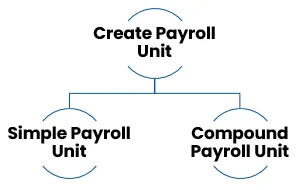
A. Simple Payroll Unit:
1. Gateway of Tally > Create > type or select Units (Work) > and press Enter.
Alternatively, press Alt+G (Go To) > Create Master > Units (Work) > and press Enter.
2. Select Simple from the Type drop-down list.
3. Enter the Symbol for the Unit.
4. Enter the Formal Name.
5. Provide the Number of Decimal Places, as applicable.
6. Accept the screen. As always, you can press Ctrl+A to save.
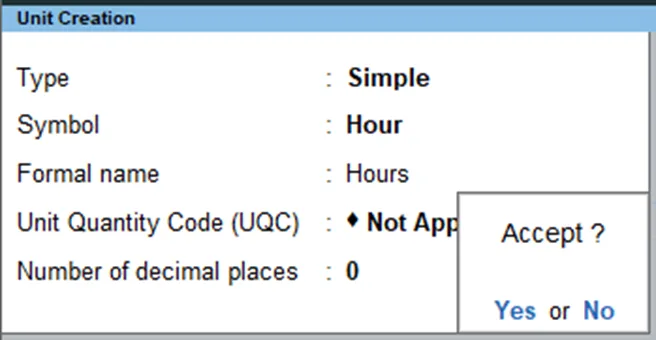
Simple payroll units are used to track the time or quantity worked by employees. They are typically used to calculate pay for hourly workers or piecework workers.
Here are some examples of simple payroll units:
- Hours
- Minutes
- Pieces
- Days
- Weeks
- Months
Once you have created the simple payroll units, you can use them to track the time or quantity worked by employees and to calculate their pay.
B. Compound Payroll Unit:
Compound payroll units allow you to combine two payroll units. For example, a box of 10 items, a dozen of 12 pieces, and an hour of 60 minutes.
1. Gateway of Tally > Create > type or select Units (Work) > and press Enter.
Alternatively, press Alt+G (Go To) > Create Master > Units (Work) > and press Enter
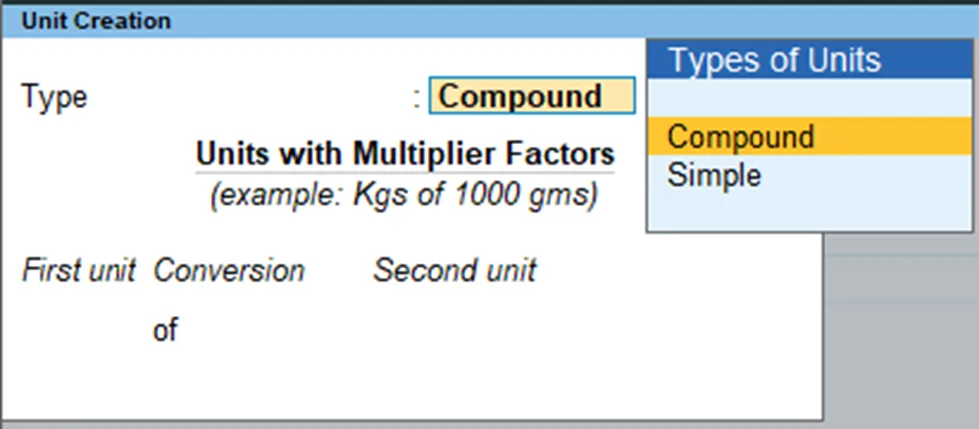
2. Select Compound in the field Type, and press Enter. In the Conversion field you can create the compound payroll unit.
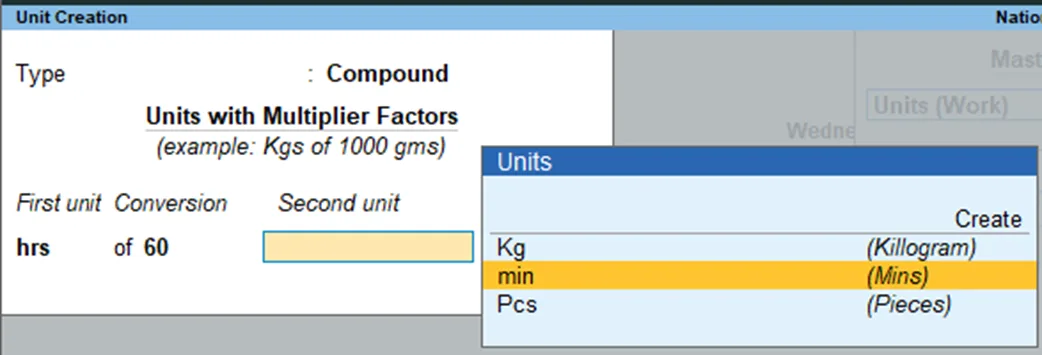
3. Select the First Unit from the Units list. In this example, Hrs is the First Unit.
4. Specify the conversion factor in the Conversion field. In this example, the conversion factor is 60.
5. Specify the Second Unit from the Units list. In this example, Mins is the Second Unit.
6. Accept the screen. As always, you can press Ctrl+A to save..
Compound payroll units are used to track the time or quantity worked by employees at different rates. For example, you could use a compound payroll unit to track the number of hours worked at a regular rate and the number of hours worked at an overtime rate.
Here are some other examples of compound payroll units:
- Days (Regular and Leave)
- Weeks (Regular and Overtime)
- Months (Regular and Bonus)
- Pieces (Regular and Defective)
- Quantity (Regular and Overtime)
Once you have created the compound payroll units, you can use them to track the time or quantity worked by employees and to calculate their pay.
Please note that you can also create compound payroll units that combine more than two payroll units. For example, you could create a compound payroll unit that combines regular hours, overtime hours, and holiday hours.